
How to use Voquill for free, forever
AI dictation tools typically cost $10 to $50 a month. Voquill is open source, which means you can bring your own AI provider and skip the bill entirely. The best free option right now is Groq. They offer both dictation and language model access on a generous free tier, and it takes about five minutes to set up.
If you'd rather not deal with any of this, Voquill Pro gets you the fastest, zero-config experience for $12/month. But if you're happy to do a few minutes of one-time setup, here's how to get the whole thing running for $0.
How Voquill works under the hood
Voquill uses two AI connections behind the scenes. The first is a dictation provider, which listens to your voice and turns it into text. The second is an LLM provider, which takes that raw transcript and cleans it up, fixing grammar, removing filler words, and shaping it into something that sounds written.
You can mix and match providers for each slot, but the reason we're using Groq for this guide is simple: one free account covers both.
Step 1: Download and install Voquill
If you haven't already, download Voquill and install it. Once you open it, you'll land on the home screen.
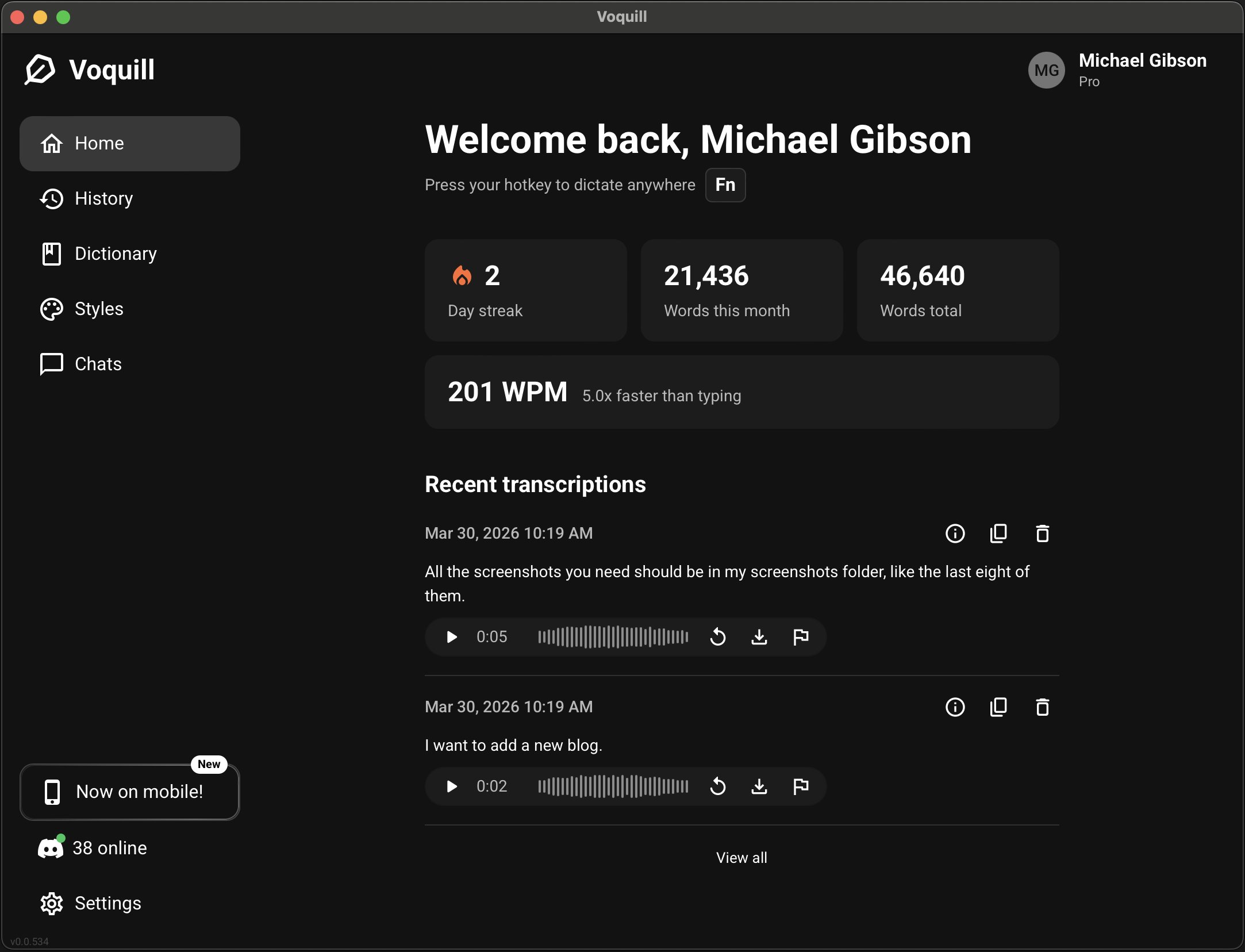
If you just created your account, you've got a free week of Pro. Honestly, go enjoy that first. This guide will still be here when the trial runs out. We'll wait.
Step 2: Create a Groq account
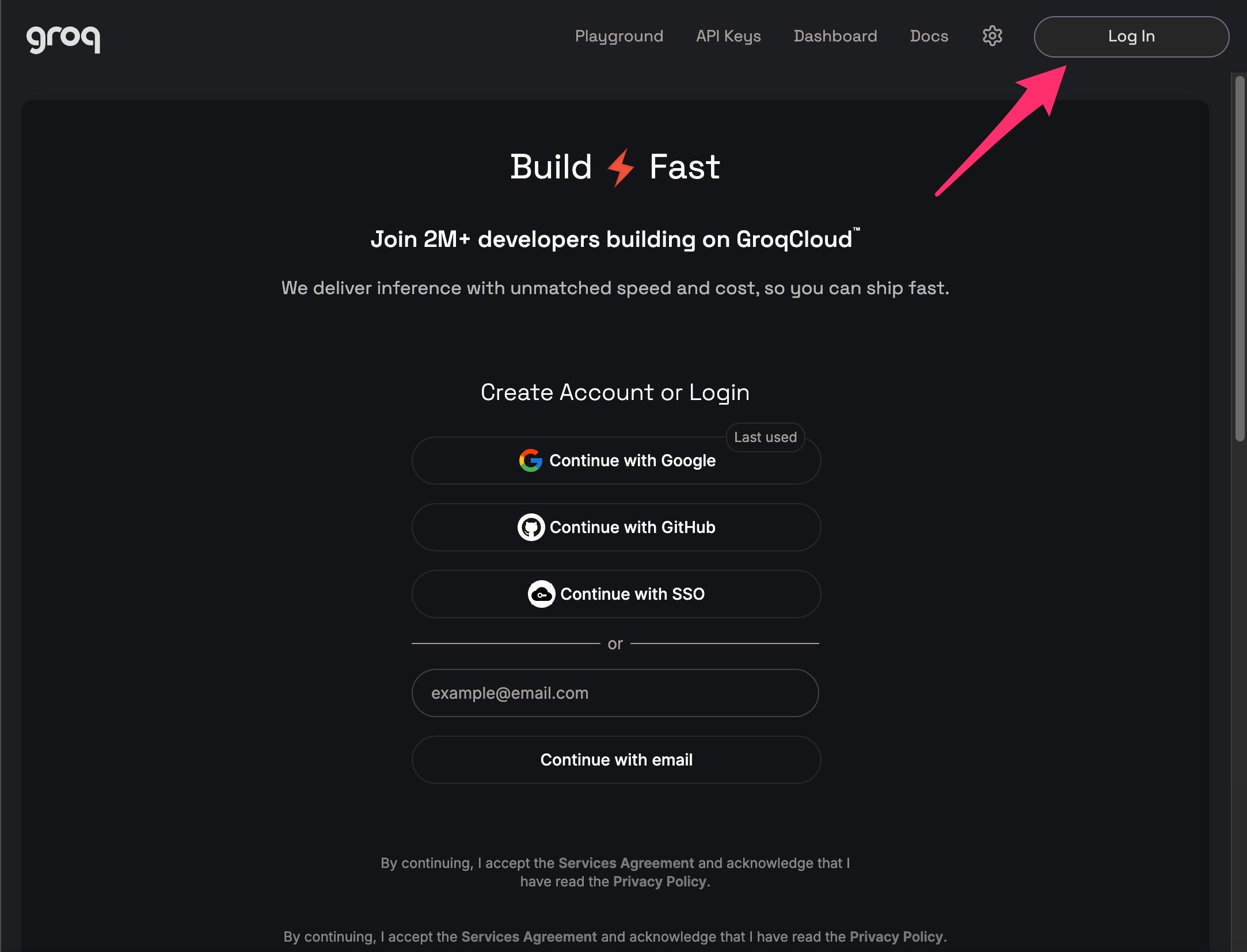
Head to console.groq.com. You can sign up with Google, GitHub, SSO, or a plain email address. Pick whichever is easiest.
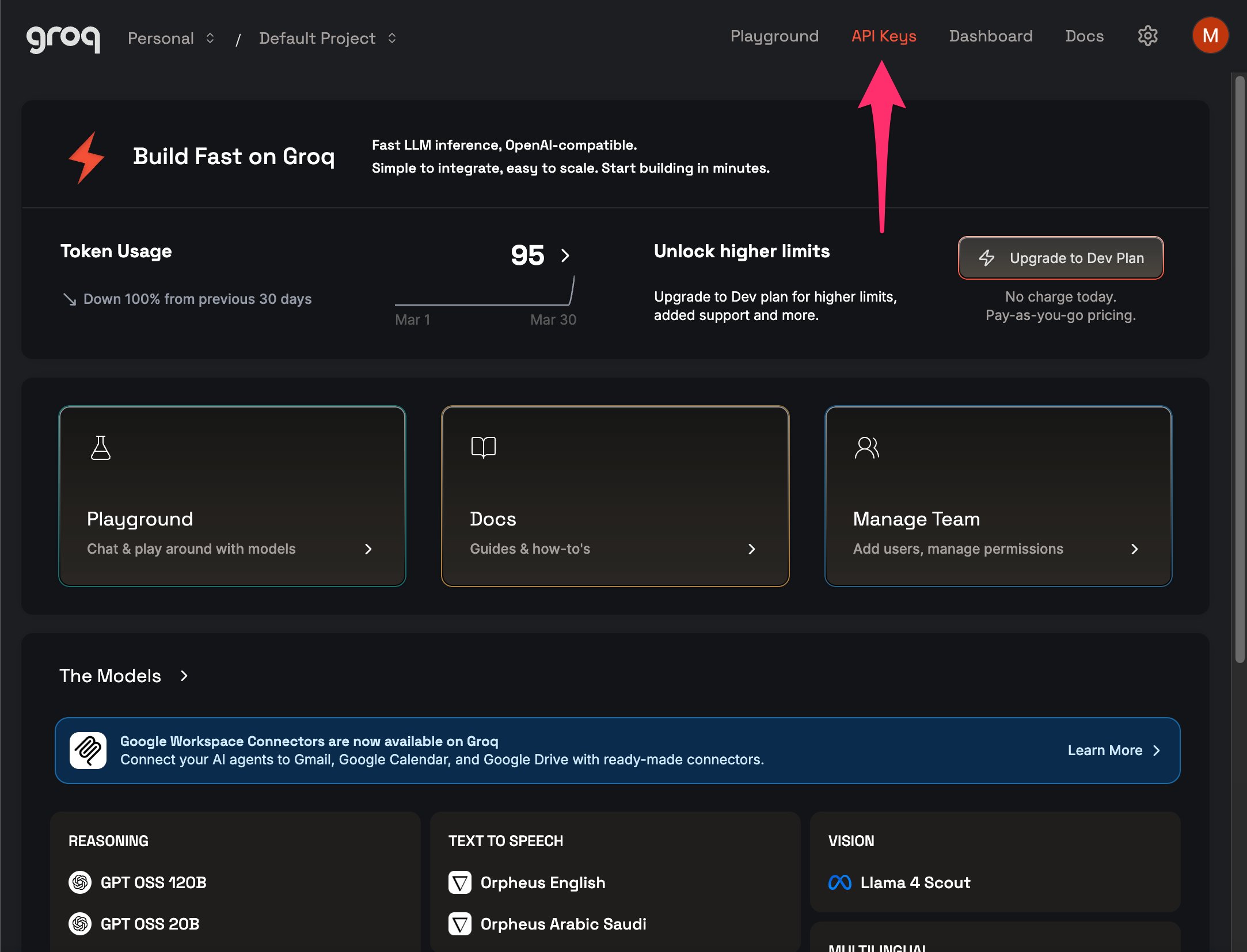
Once you're in, you'll land on the Groq dashboard. You don't need to touch anything here, we just need an API key.
Step 3: Generate an API key
Click API Keys in the top navigation bar. You'll see a list of any keys you've already created (yours will be empty if this is a new account).
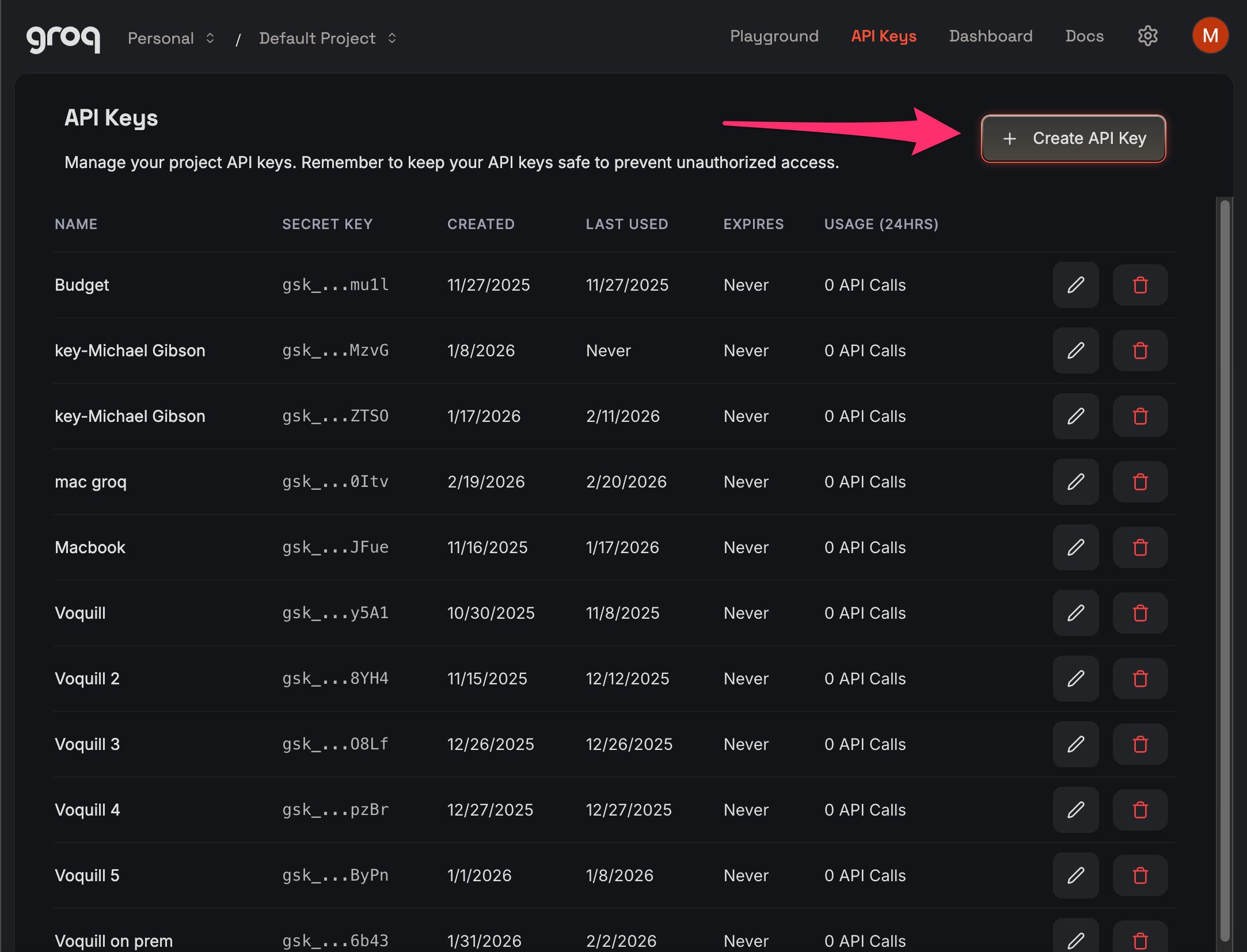
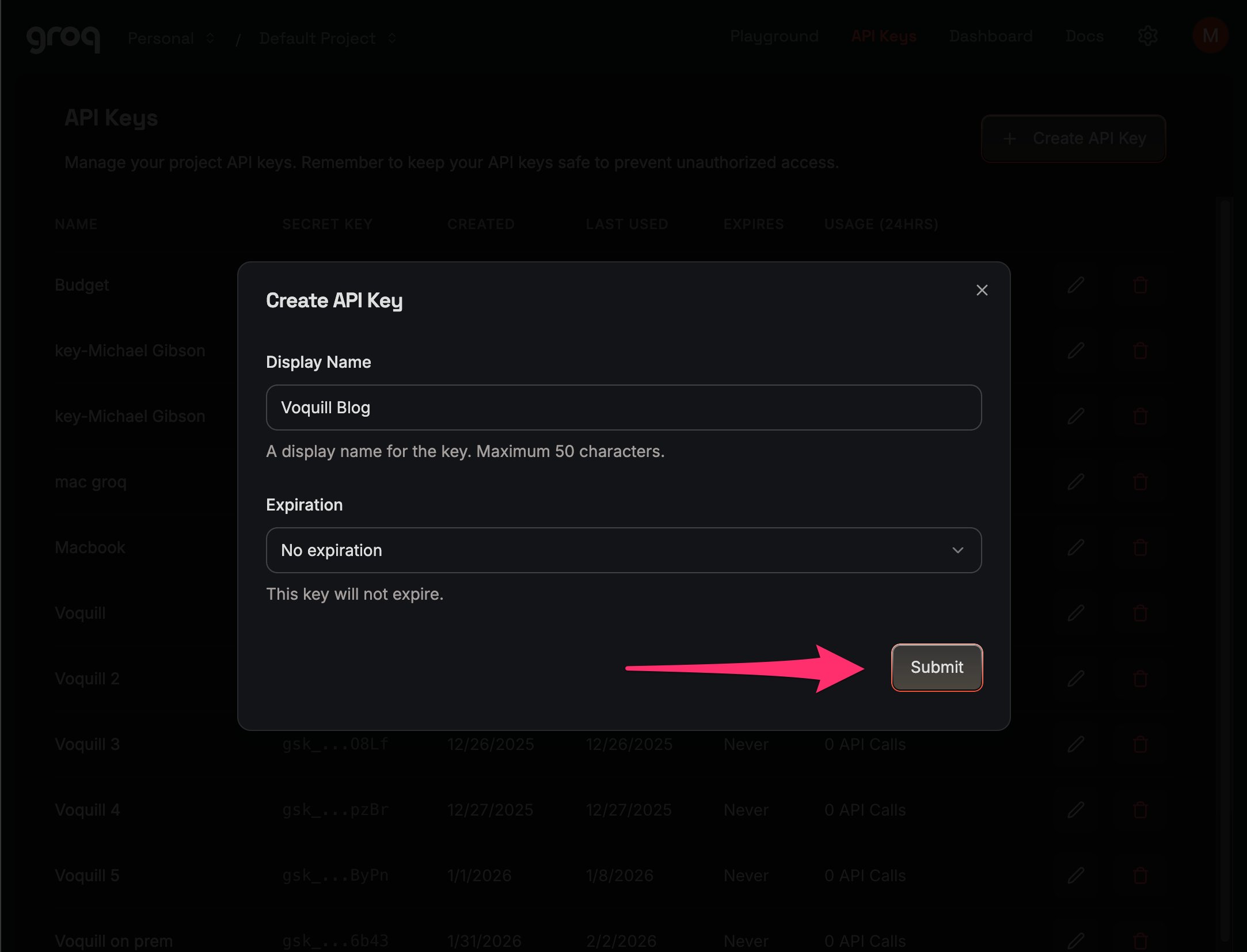
Click + Create API Key in the top right. Give it a name you'll recognize, something like "Voquill" works fine. Set the expiration to No expiration so you don't have to redo this later. Hit Submit.
Groq will show you the full key exactly once. Copy it to your clipboard. You won't be able to see it again after you close this dialog, and you'll need it in the next two steps.
Step 4: Connect dictation in Voquill
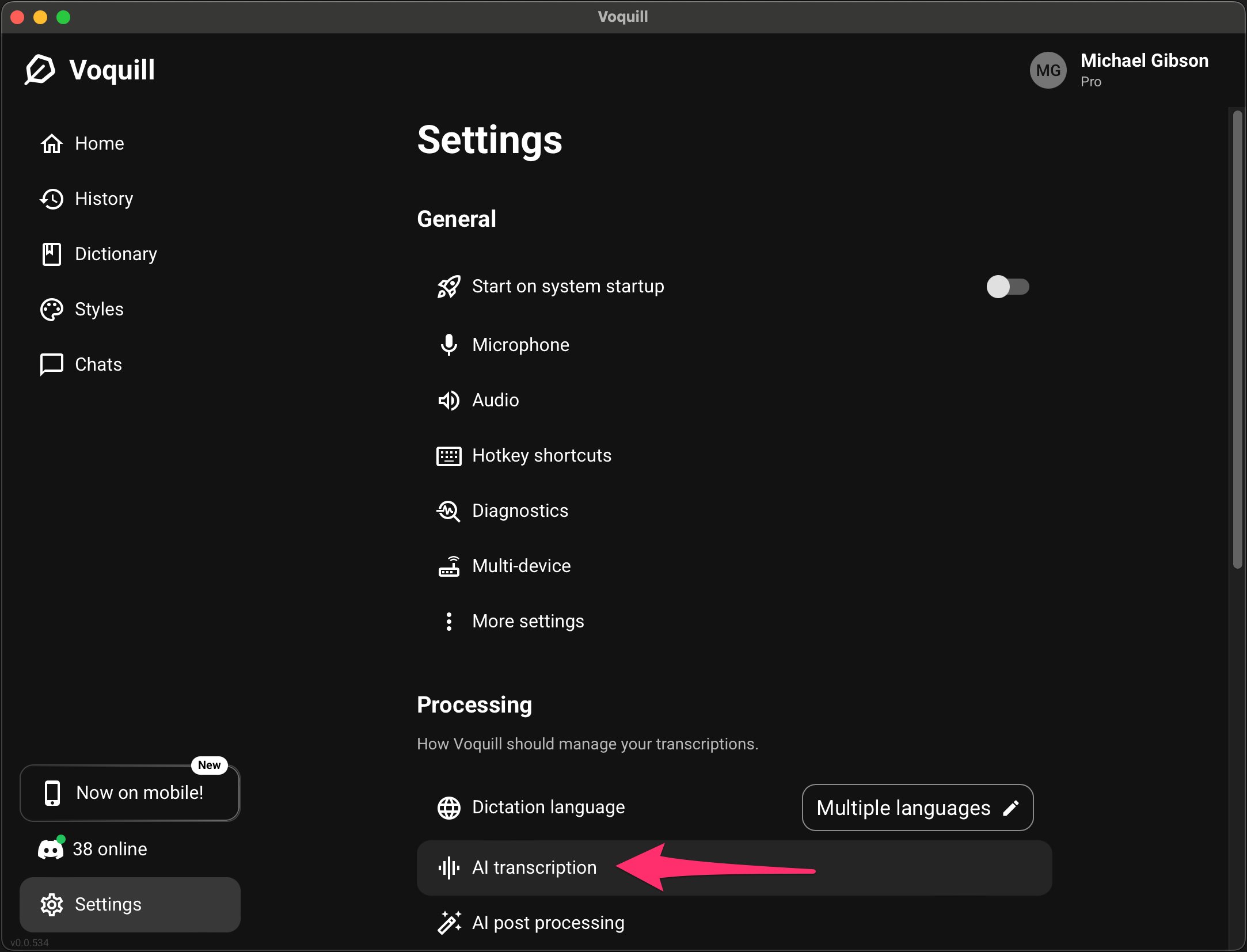
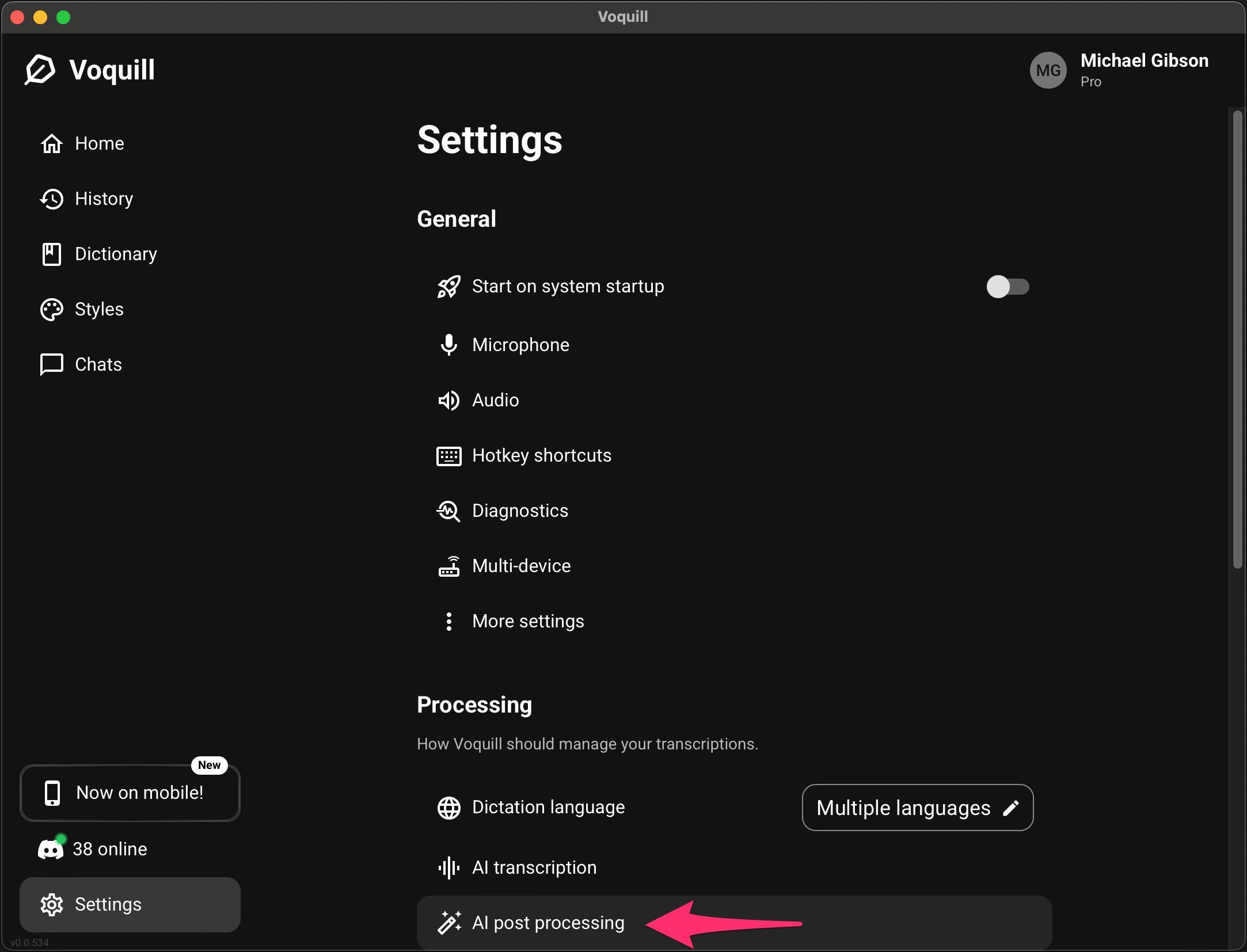
Open Voquill and click Settings in the bottom left. Scroll down to the Processing section and click AI transcription.
In the dialog that opens, select the API tab. Fill in the fields:
- Key name: anything you'll recognize (e.g., "My Groq key")
- Provider: select Groq from the dropdown
- API key: paste the key you copied from Groq
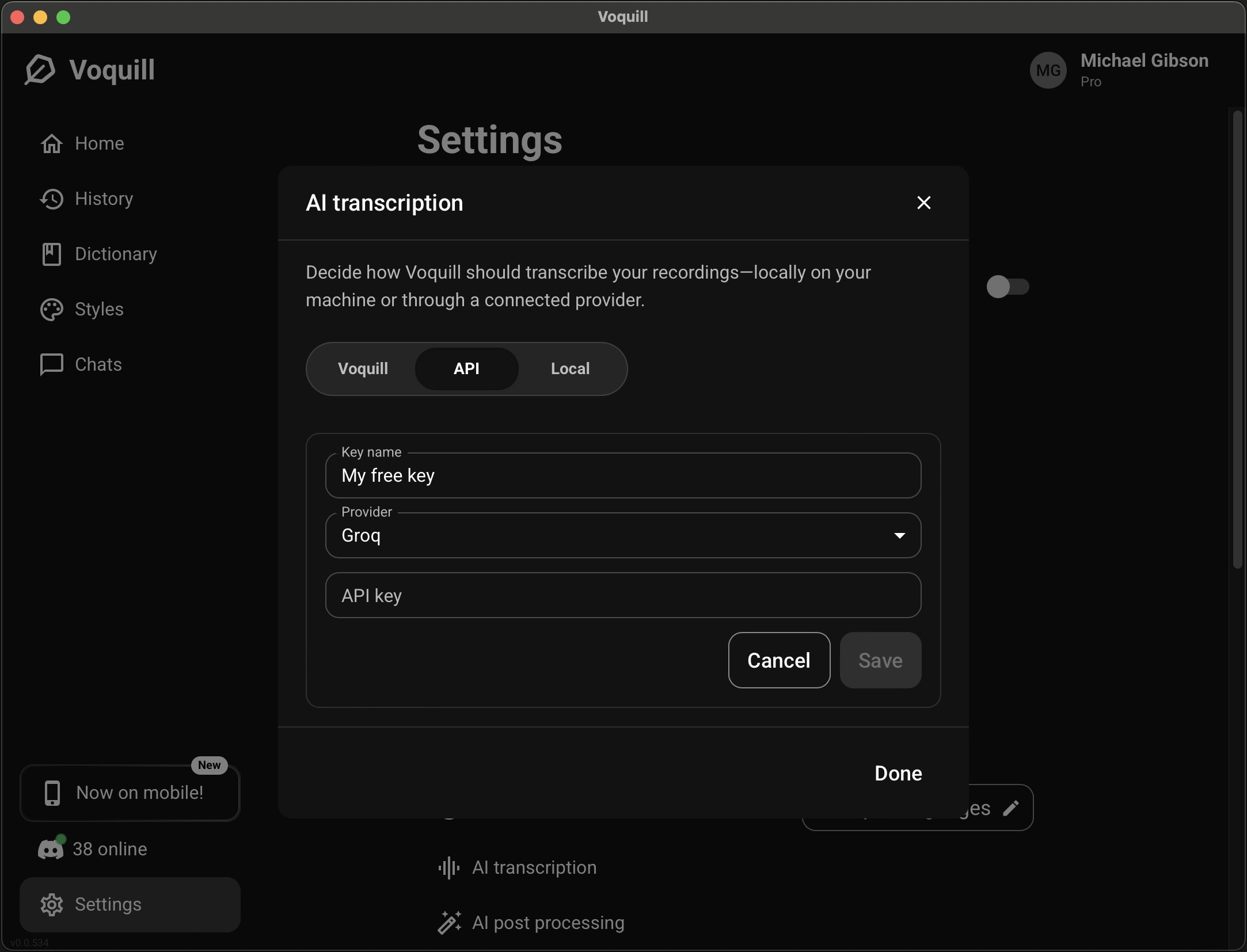
Paste your key and click Save.
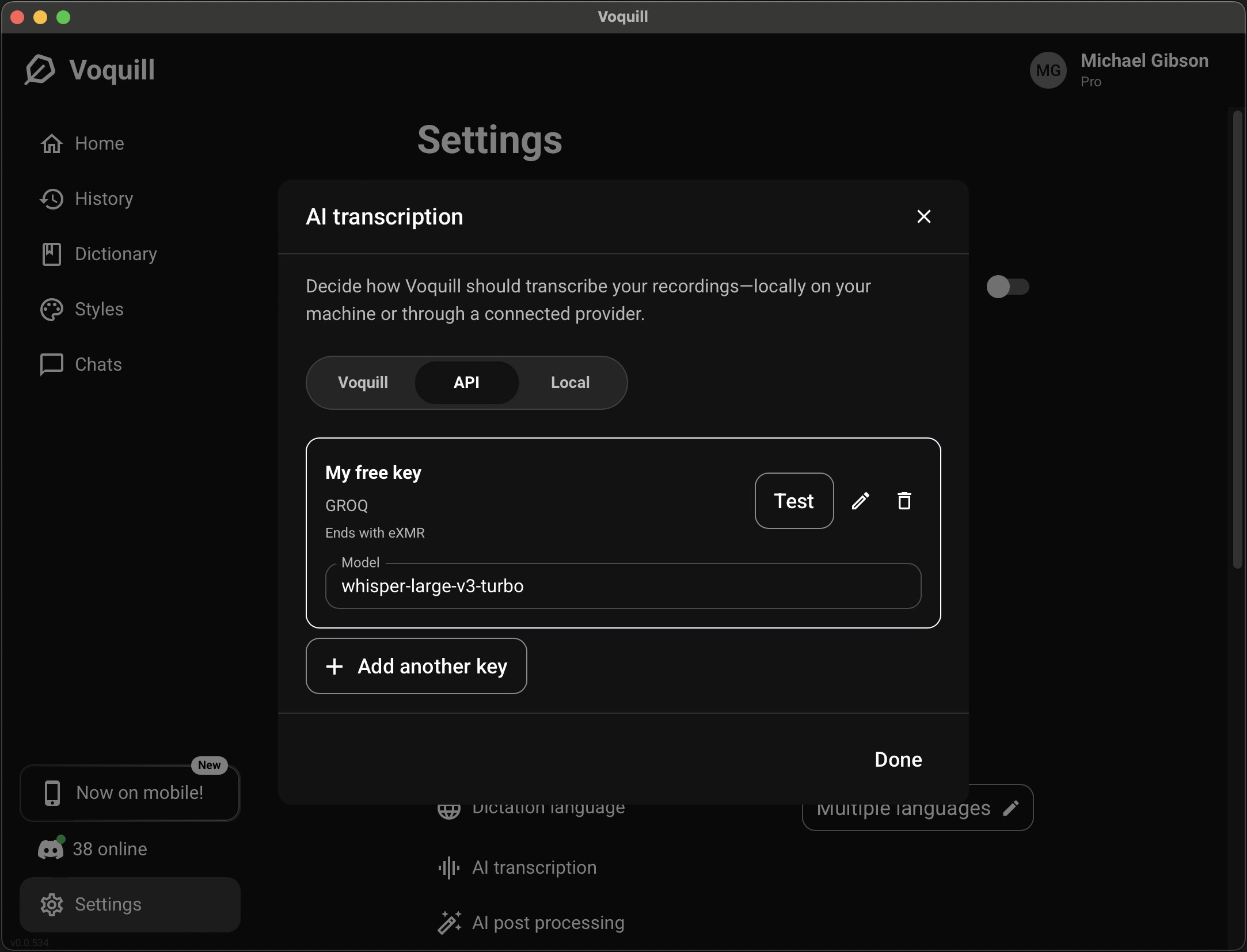
That's half the setup done. Your voice recordings will now be transcribed through Groq's API.
Step 5: Connect the LLM in Voquill
Back in Settings → Processing, click AI post processing. This is the second connection, the one that takes your raw transcript and polishes it.
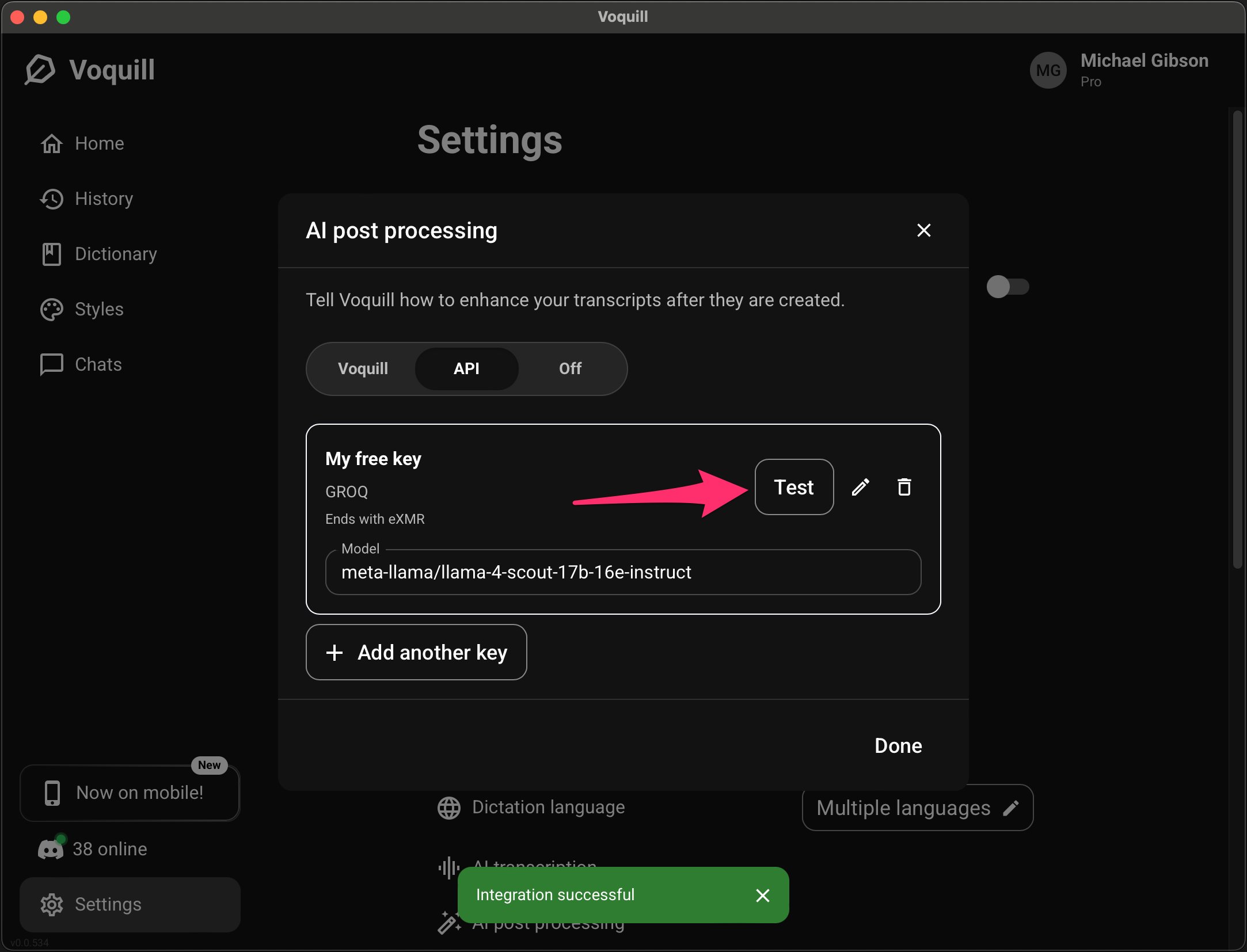
Select the API tab again. You'll see the same Groq key you just saved is already available. Select it, and Voquill will auto-populate a default model (currently meta-llama/llama-4-scout-17b-16e-instruct, which is a great all-around choice).
Click Test to verify the connection. You should see a green "Integration successful" banner at the bottom of the screen.
Hit Done. You're set.
What you just got
You now have a fully functional AI dictation setup that costs nothing to run. Here's what to expect:
Speed — Groq is fast. Voquill's own cloud streams audio so that your dictation results are available the instant the audio stream ends. Groq processes audio in a batch after you finish recording, so there's a short wait. It's still noticeably quicker than most providers, though. For short dictations, you won't be sitting around. If you're dictating many paragraphs at a time, Voquill Pro is going to feel a lot better.
Transcription quality — Good for everyday use. Groq handles conversational dictation, technical terminology, and longer recordings well. Voquill Cloud's transcription is a step above if you need the highest accuracy, but for most writing workflows the difference is marginal.
Limits — Groq's free tier is extremely generous. If you somehow managed to burn through it with normal daily writing, I'd be shocked. For the vast majority of users, it's more than enough.
Going further
Groq isn't the only option. Voquill supports close to a dozen providers, so if you're feeling adventurous you can try others out. If you're technical and want everything running on your own machine, Voquill also supports fully local models for both dictation and LLM processing.
The point is that Voquill doesn't lock you in. It's open source, you own the software, and you can swap providers any time. Groq just happens to be the fastest path to a completely free setup today.
Now go talk to your computer. It's listening.
If you run into any snags, hop on our Discord or shoot us an email at support@voquill.com and we'll get back to you promptly.