
Why We're Building Voquill
We love productivity tools. We spend our days in them now (Claude Code, Slack, ChatGPT) but we noticed something: typing is the real bottleneck.
So we built Voquill around two principles:
- Voice typing makes you dramatically faster. You can type 4x faster with your voice.
- You should be in full control. Open source, know what's happening with your voice, local processing, bring-your-own-backend-if-you-want.
Here's the thinking behind each one.
Principle 1: You Type Faster by Speaking
You Spend More Time Typing Than You Think
Knowledge workers spend roughly 40% of their workday writing. This can be in emails, documents, Slack messages, code comments, LLM conversations, meeting notes, etc. That's about three hours a day, just thinking about what to say and pressing keys.
The average person types at about 40 words per minute but we speak at around 150-220 words per minute. That's nearly four times faster.
The math is simple: if you could type at the speed you speak, three hours of writing becomes 45 minutes. That's over two hours back in your day, every day.
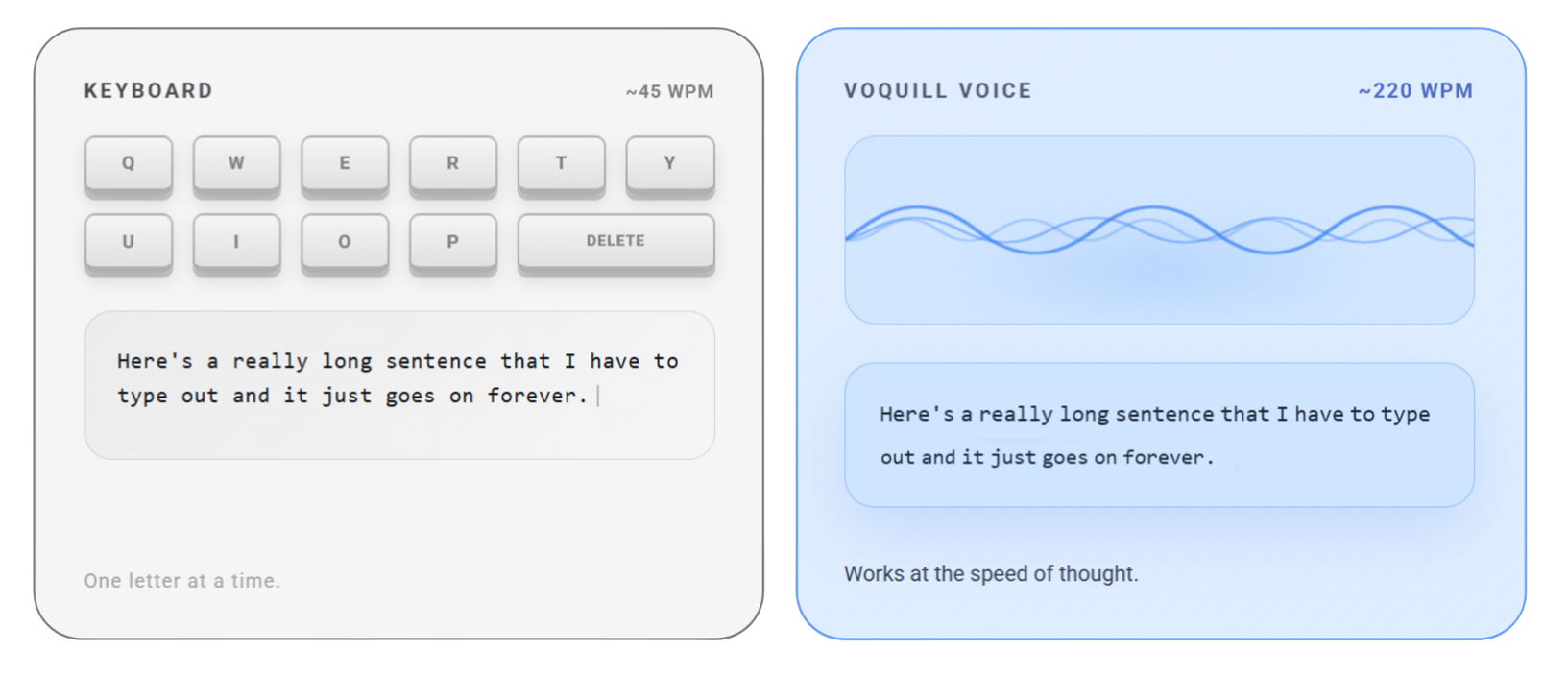
Speaking Is Not Just Faster, It's WAY Better
Voice typing is fundamentally more natural than a keyboard. It's how our brains are wired to communicate. When you type, your brain has to coordinate thought with fine motor skills translating ideas through your fingers. When you speak, the words just come out.
That means a better "flow" state, fewer interruptions, and ideas that land closer to what you actually meant. Research from Stanford's HCI lab has even found that speech input produces fewer errors than keyboard input.
It's also easier on your body. Voice typing eliminates the repetitive hand movements (and repetitive strain injuries) entirely.
Voquill Minimizes Post-Editing
One of the biggest annoyances with voice typing has always been the cleanup: you dictate something, then spend ten minutes fixing punctuation, formatting, and incorrect words. That defeats the whole purpose.
We solve this. Voquill uses AI to automatically format your text based on context. Proper punctuation, capitalization, paragraph breaks, bullets, and sentence structure are applied as you speak. If you dictate an email, Voquill formats it as an email.

Principle 2: You Should Be In Full Control
Voice Is Personal
The words you speak are personal. Something feels eerily more intimate and invasive about a computer system storing your voice than your text. They're first drafts of your thoughts, whether it's the emails to your team, the notes from a confidential meeting, the message to your doctor. You should know exactly where they're going and how they're being processed.
That's why everything in Voquill is open source from day one. Every line of code is public. You can read exactly what happens to your audio, verify how it gets processed, and trust the tool you're speaking to.
No hidden data collection. No black-box processing. No words fed into an LLM training pipeline or stored in a database.
Bring Your Own Everything
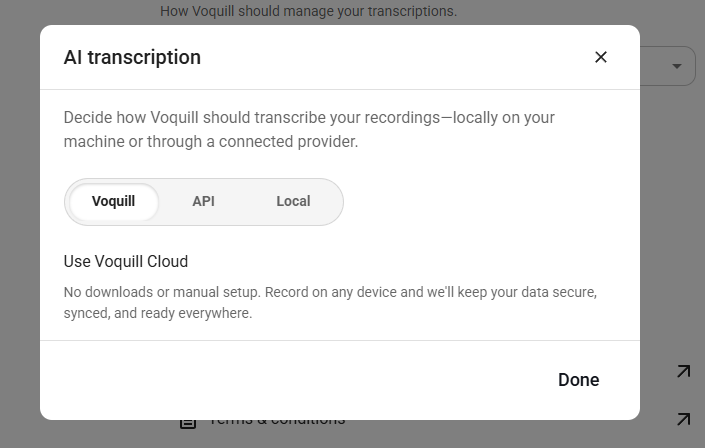
Traditional voice typing tools send your data to a cloud server for processing and you have no choice. We don't like that. When we built the first version of Voquill, we wanted users to bring their own API key. Now, we even have more options.
With Voquill, you can choose between:
- Run AI models locally — models run on your own device, no internet required, no data leaves your machine.
- Bring your own API key — connect to the transcription provider (OpenAI, Groq, etc.) you already use and trust.
- Use our Voquill server — it's completely open-sourced so you can see what's going on.
Enterprises also get:
- Use a verified service your organization trusts — plug into the infrastructure your team has already approved.
- Use your own server — deploy the Voquill backend server to your own cloud or an on-premise instance.
Enterprise-Friendly by Design
This matters especially for companies that handle sensitive data (think legal firms, healthcare, financial institutions, etc.). They can't send voice recordings to a third-party API and hope for the best.
With Voquill, enterprises can:
- Run AI models locally on company hardware.
- Bring their own API key to a registered, verified service.
- Connect to their own cloud or on-premises server with full audit control.
Voquill gives them a private, auditable, self-hosted option that fits into the security posture they already have. Check out our Enterprise Docs to learn more.
Try It Free
Download Voquill and see what it's like to type with your voice. Free, open source, and built to keep your words yours.